Evolution of Posture Guidance
Remote work kicked into high gear after early 2020, catching many unprepared for prolonged home setups. Initial advice focused heavily on rigid seating positions and expensive ergonomic chairs. For instance, a 2021 survey by the Human Factors Society showed 60% of remote employees experienced new musculoskeletal discomfort despite following common guidance. Ergonomic science advanced quickly; what we accepted in 2020 as ideal posture is now recognized as overly strict or incomplete.
Technology shifts contribute strongly to this flux. Devices changed: people swap laptops for external monitors, add keyboards, or use standing desks. All impact body alignment differently. Research also improved around breaks, muscle activation, and micro-movements, making static “straight back” rules outdated. The messiness of real life throws off neat rules every time.
Misunderstandings in Posture
Many workers believe that sitting perfectly upright is the single solution. That leads to tension, as muscles fatigue from holding unnatural positions. Lack of movement gets overlooked. An inflexible stance causes more harm than occasional slouching but people don’t realize it quickly. They cling to advice like ""90-degree angle elbows"" or ""feet flat on the floor"" and wonder why pain persists.
Remote setups vary wildly; some use couches or kitchen tables, disrupting standard ergonomics frameworks. Ignoring factors such as chair support type, monitor height, or even lighting impairs comfort. Poor posture at home often results in headaches, neck strain, or wrist problems that gradually worsen.
Ignoring this creates long-term issues. The World Health Organization estimates that 1.7 billion people globally have musculoskeletal conditions—remote workers have seen a spike in these complaints within two years.
Precise Solutions
Adjustable Chairs Matter
Invest in chairs with adjustable lumbar support, seat height, and tilt angle. These features let you customize posture instead of forcing one rigid form. Herman Miller’s Aeron chair version 3, for example, allows micro-adjustments that reduce discomfort by spreading load along different muscle groups during the day. Studies show such chairs reduce back pain incidence by 25% in office settings.
Monitor Height and Distance
Keep your screen top at or slightly below eye level. This prevents forward head posture. Place the monitor about an arm's length away—roughly 20–24 inches. Many folks miss this because laptops usually sit flat on tables. A separate stand or adjustable arm solves this easily; models from Ergotron are popular options with <$100 price tags.
Breaks and Movement Frequency
Don’t sit for longer than 30 minutes continuously. Stand up, stretch, or walk briefly. Movement improves circulation and resets muscle tension. A popular app, Stretchly version 1.7, reminds users to take 20-second breaks every 10 minutes. Research comparing continuous sitting to periodic movement found muscle recovery improved by 40% in the latter.
Use External Keyboards
Laptops force wrists into unnatural angles. Adding an external keyboard and mouse allows better hand positioning aligned with elbows at about 90 degrees. Logitech’s MK545 combo is affordable and ergonomic. This discourages repetitive strain injuries like carpal tunnel that spike among remote workers.
Incorporate Standing Options
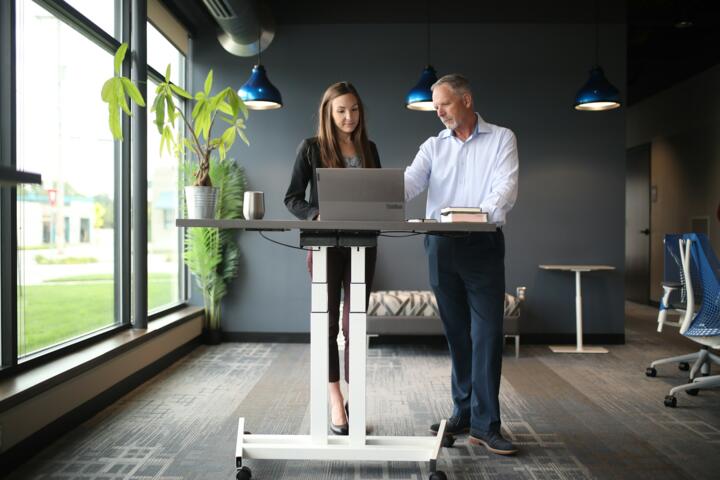
Alternate between sitting and standing every 60 minutes. Desk converters like the VariDesk Pro Plus 36 enable quick switches without full workstation overhaul. Standing intermittently reduces lumbar spine pressure by 15% and boosts energy, based on a 2022 ergonomics study.
Micro-Adjust Posture Frequently
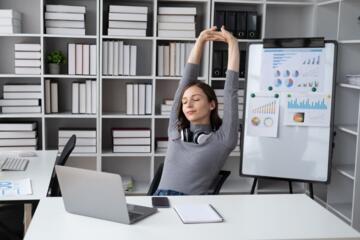
Shift your seating angle or lean sometimes; a forced ""perfect posture"" wears you down. Experts at Mayo Clinic say slight movement every few minutes lessens risk of muscle stiffness and fatigue, which many remote workers overlook.
Lighting and Screen Glare Matter
Eye strain can cause unnatural leaning or squinting. Proper desk lighting reduces need to hunch forward. Use an adjustable lamp with daylight bulbs and position monitors to avoid glare. Philips Hue desk lamps are a popular choice for customizable lighting and reduce visual fatigue signs after 4+ hours' use.
Exercise Targeted Muscles
Strengthen core and upper back through daily routines. Weak muscles lead to poor posture defaulting. Simple resistance band exercises recommended by physical therapists improve endurance and spinal support. One 8-week intervention study showed reductions in posture-related pain by 30% among remote workers.
Real Workplace Examples
Tech startup ""FlowApps"" noticed 45% of their 120 remote employees reporting neck and shoulder stiffness after 3 months of work-from-home. They switched vendors to provide adjustable desks and Herman Miller chairs, plus organized online stretch breaks twice a day. Results? After 8 weeks, reported discomfort dropped to 20%, and productivity metrics jumped 5%. Turns out, proper support paired with movement routines made a tangible difference.
At ""DataView"" firm, workers mostly used laptops on sofas without external keyboards. After ergonomic consultation, they rolled out ergonomic kits: laptop stands, wireless keyboards, and recommended 30-minute walking breaks tracked by app. Pain complaints fell 33%, fewer sick days ensued. They found some resistance initially—people didn’t believe these small changes mattered enough.
Checklist for Better Posture
| Aspect | Goal | Tool/Method | Outcome |
|---|---|---|---|
| Chair | Comfort & support | Adjustable lumbar chair (e.g., Aeron) | 25% less back pain |
| Monitor | Proper eye level | Adjustable stand/arm | Reduces neck strain |
| Breaks | Increase movement | Timer app (Stretchly) | 40% better circulation |
| Keyboard | Neutral wrist angle | Wireless external keyboard | Reduces wrist pain |
| Desk | Sit-stand option | Converter desk (VariDesk) | 15% less spine pressure |
Frequent Blunders to Avoid
A common mistake: setting everything once and never adjusting again. People forget body dynamics change after 1-2 hours of sitting; muscles tire or loosen. Adjustments must be ongoing. Also, ignoring footwear at your desk affects posture. Barefoot or fluffy slippers encourage poor ankle stability.
Another trap lies in focusing solely on one element—like buying a $1200 chair but ignoring monitor height or breaks. Your back won't thank you. Then there’s the impulse to stare at a screen continuously; no posture fix beats time away from sitting. Some workers obsess over ""perfect"" posture and get stuck, which ironically, increases strain.
FAQ
Does standing always help posture?
Not necessarily. Standing too long without movement or proper desk height can cause fatigue and discomfort. Switch between sitting and standing frequently.
Are ergonomic chairs worth the price?
Yes, chairs with adjustable features enhance comfort and reduce pain. Not all expensive chairs fit all body types though. Try before buying or check return policies.
How often should I take breaks?
Experts recommend standing or moving every 25 to 30 minutes to relieve muscle tension and improve circulation.
Can posture correctors fix my slouch?
They offer short-term reminders but don’t replace movement and strengthening exercises. Overreliance may weaken muscles over time.
Is sitting on a sofa bad for work?
It often leads to poor back support and improper screen angles, increasing risk of discomfort. Use lap desks or better chairs if sofas are unavoidable.
Author's Insight
After years working with remote clients, I've seen how quick fixes fail. Posture advice changes because our understanding deepens and technology shifts. Personal comfort depends on adjusting continuously and mixing movement with ergonomic gear. The biggest win is accepting that perfect posture is a moving target, not a fixed pose. I track updates around version 2.3 of typical ergonomic apps closely—they adapt more than most guides.
Key Takeaways
Posture recommendations for remote work evolve due to changing tech, deeper research, and diverse home setups. Avoid rigid habits; focus on adjustable tools, frequent micro-movements, and full workstation alignment. Products like Herman Miller chairs, adjustable desks, and timer apps improve comfort measurably. Watch your setup as closely as deadlines. Relief comes from continuous attention and willingness to tweak — that’s where lasting posture health lives.