Understanding the Shift
Software subscriptions have steadily overtaken one-time purchase models over the past decade, changing how consumers and companies acquire digital products. For instance, Adobe moved its Creative Suite to a Creative Cloud subscription in 2013, increasing its revenue by 25% in the following year. Microsoft Office 365 now counts over 345 million paid users worldwide as of early 2024.
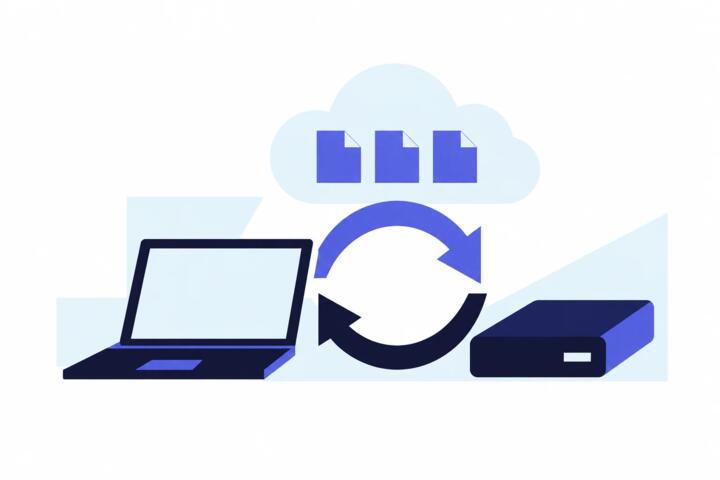
This change means access replaces ownership — users pay periodically to maintain service rather than buying a perpetual license. That shift alters user expectations and vendor-customer relationships dramatically. Instead of a single transaction, software companies now generate recurring income, often tied to continuous updates and cloud features.
The move isn’t limited to big players. Smaller apps like 1Password or Todoist offer monthly fees, making professional-grade tools more affordable but locking users into ongoing payments.
Some software still offers one-time licenses, but subscribable versions are expanding fast and reshaping market expectations.
Common Challenges
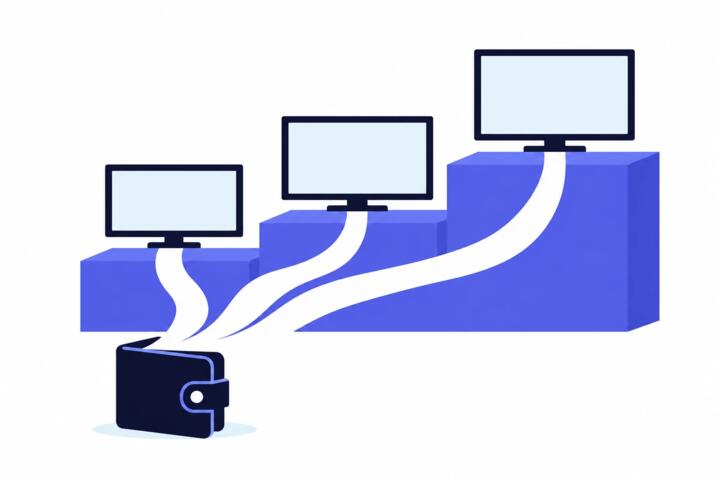
Many users assume subscriptions reduce costs, but the reality often contradicts that. Over 3 years, a subscription typically totals far above a one-time purchase, forcing budgets to reconsider.
Cancellation policies catch users off guard too. Some services auto-renew silently, briefly before charges hit an account. Confusion over feature access when subscriptions lapse causes issues—updates and cloud syncing stop. Maintaining continuous access demands vigilance.
From a business angle, reliance on subscriptions makes companies vulnerable to churn rates. Even a 5% monthly churn can reduce customer base drastically within a year. Losing customers means less revenue, revealing why firms push constant feature releases—even minor updates designed primarily to retain subscribers, not add actual value.
Real users experience the frustration: paying a recurring fee for a tool they use sparingly feels inefficient. Some opt to switch back to open-source or free software to avoid ongoing costs, though those alternatives often lack the polish or support that paid options provide.
Effective Subscription Choices
Assess Long-Term Costs
Calculate expenses over a typical usage span to compare subscriptions to one-time purchases. Use spreadsheet models projecting fees across 2–5 years. For example, Adobe Creative Cloud’s Photography Plan costs $9.99 monthly, summing to roughly $120 annually—double the Photoshop CS6 one-time price when acquired before 2017. This analysis clarifies total expense of ownership.
Look for Tiered Options
Many subscription services offer multiple plans with varying features. Select the tier that matches actual usage instead of defaulting to premium levels. This avoids overpaying for features you won’t use. Google Workspace’s Business Starter plan, priced at $6 per user monthly, suits small teams needing basic tools, while higher tiers incur sharper rises but add advanced services like endpoint management.
Use Trials and Promotions
Free trials can reveal if a subscription suits your workflow before payment starts. Most platforms offer 7- to 30-day trials. Keep a calendar alert to cancel before billing if the product disappoints. Promotions and discounts happen around holidays or product launches; grabbing offers can save 25% or more annually.
Consider Alternatives
Free or open-source software sometimes replaces expensive subscriptions. LibreOffice suits many office tasks, while GIMP fits image editing without a monthly fee. These require more setup or lack seamless cloud features but can reduce costs substantially. Projects like Nextcloud challenge subscription cloud services by hosting on private servers.
Lock in Multi-Year Plans
Prepaying for several years often cuts subscription fees by 10-20%. Security software vendors like Norton or McAfee provide steep discounts for multi-year commitments, saving hundreds versus monthly rates over time. However, this requires upfront cash and risks product relevance if needs change.
Track Active Subscriptions
Consumers often forget active subscriptions, silently draining accounts. Tools like Truebill or Subby help identify and manage recurring payments. Regular audits reduce unused or overlapping subscriptions that add up fast.
Apply for Discounts
Students, educators, and nonprofits receive lower subscription rates with proper verification, sometimes up to 70% off. Microsoft and Adobe offer special educational pricing, making software affordable without compromising access.
Negotiate Enterprise Contracts
Large organizations can request customized subscription terms. Volume discounts and consolidated billing reduce overhead. Vendors are motivated to retain sizable clients through flexible arrangements.
Monitor Usage Patterns
Track software activity to validate subscription value. Services like RescueTime record app usage, helping identify underutilized subscriptions ripe for downsizing.
Real-World Examples
Case 1: A digital marketing firm with 50 employees faced surging costs from monthly subscriptions to Adobe, Microsoft 365, and Slack. After analyzing expenses, they switched to multi-year plans, saving 18% annually. Tracking use revealed several unused apps; cancelling those subscriptions saved an extra $3,500 per year.
Case 2: An indie developer relied on JetBrains IDE licenses, previously buying one-time perpetual licenses with annual renewals optional. After 2021, JetBrains moved exclusively to subscription. Initially reluctant, developer switched to monthly plan but switched to a free VS Code after six months because the cost didn’t fit sporadic project work.
Subscription Comparison
| Model | Upfront Cost | Recurring Fees | Updates/Support |
|---|---|---|---|
| One-Time Purchase | High once | None | Paid upgrades |
| Subscription | Low or none | Monthly/annual | Included always |
| Freemium | None | Optional upgrades | Limited features |
Frequent Errors
Many clients subscribe without assessing true usage — paying for full feature sets that go unused. Tracking tools can catch this early. Others fail to note auto-renew deadlines and get surprised by charges. Setting calendar reminders helps.
In tech procurement, companies sometimes assume subscriptions guarantee superior support. But smaller vendors often prioritize enterprise support tiers, leaving small customers stuck. Asking for service level agreements before committing prevents dissatisfaction.
Beware of mixing overlapping subscriptions for similar services. It’s common when vendors split offerings into multiple apps, as seen in Microsoft’s separate Teams, Outlook, and OneDrive plans. Consolidating licenses usually lowers cost.
FAQ
Are subscriptions cheaper long-term?
No, they tend to cost more over multiple years. Short-term use can be economical but long periods favor one-time purchases.
Can I cancel anytime?
Most subscriptions allow cancellation, but some lock you in for a term or require advance notice. Check terms carefully.
Do subscriptions include support?
Yes, active subscriptions usually include support and updates, unlike many one-time licenses.
Is ownership lost with subscriptions?
You don’t own the software; access depends on maintaining payments. Many users dislike this lack of permanence.
Are open-source alternatives good?
They work well for certain needs but often lack polish and support of commercial software.
Author's Insight
I've seen firms hit by subscription fatigue, juggling multiple vendor fees and unexpected renewals. Tracking spend and usage saved thousands in a recent project. My take: treat subscriptions like utilities, not assets. Question renewals, test competitors, and avoid piling on recurring charges just because a feature looks appealing. Sometimes, owning makes more sense. It depends on your workflow and budget flexibility.
Summary
Subscriptions replace ownership but at the cost of ongoing fees and dependency on vendors. Expect to pay more over time and monitor your subscriptions carefully. Select plans aligned with your needs, use trials before buying, and audit regularly to avoid unneeded expenses. Real flexibility comes from understanding product value and controlling spend—don’t surrender that to convenience.