The New Tracking Rules
Location tracking used to happen almost invisibly. You downloaded a flashlight app in 2018, tapped “Allow While Using,” and somewhere in the background your coordinates started feeding ad brokers every few minutes. That system has been under pressure for the last 3 years.
Apple tightened privacy prompts in iOS. Google restricted background location access on Android. Regulators in California and the European Union started targeting data brokers that sold precise movement data tied to phones. In January 2024, the Federal Trade Commission banned data broker X-Mode from selling sensitive location information tied to medical clinics and places of worship.
The old free-for-all slowed down.
Apps now face stricter permission systems. Users see more pop-ups asking whether they want “Precise Location” or only approximate access. Some apps lose functionality unless people agree. Others quietly adapt and collect less exact data while still learning where users sleep, shop, commute, and travel.
That last part surprises people. A weather app may no longer know your exact apartment unit, but repeated approximate pings still reveal routines with startling accuracy. Researchers at MIT showed years ago that just a few location points can identify most individuals inside large datasets.
The technology got subtler, not harmless.
Why This Shift Matters
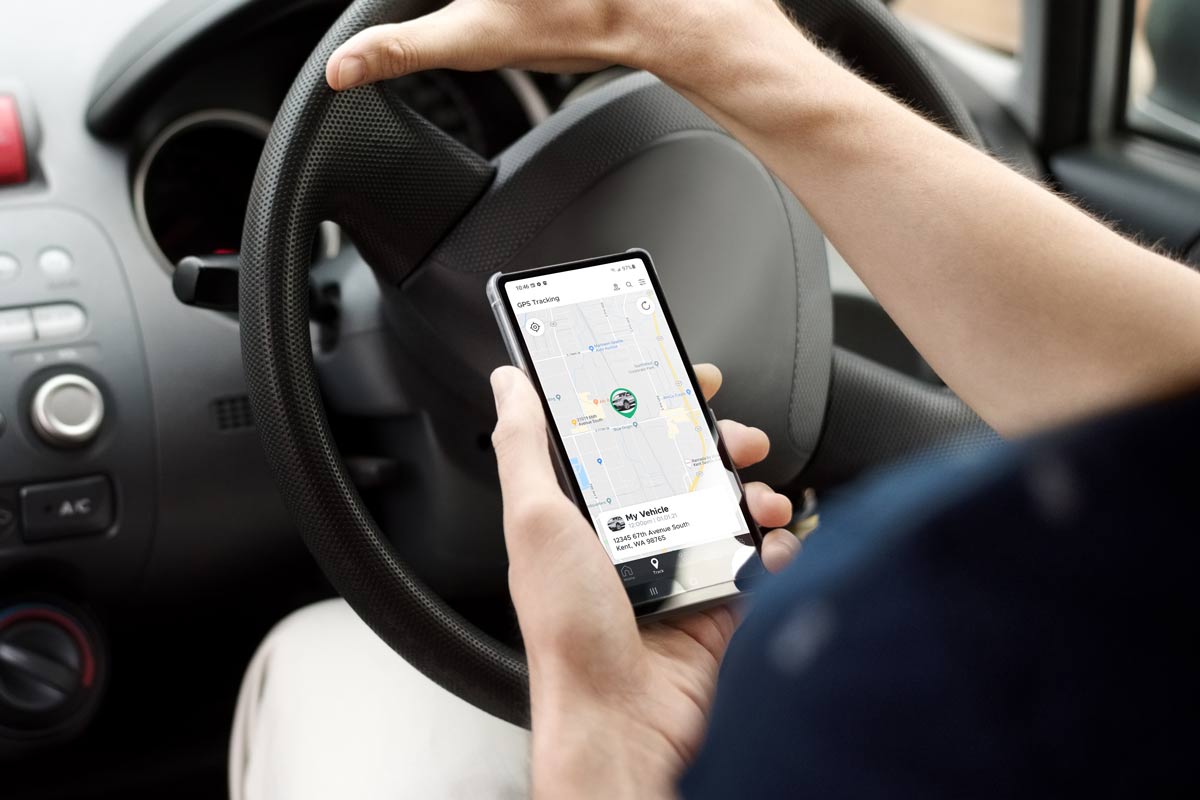
People tend to imagine location tracking as a creepy map with a blinking dot. The real business is messier and much larger. Advertising companies combine GPS signals with shopping history, app activity, Wi-Fi networks, and device identifiers to build behavioral profiles.
Those profiles influence ads, insurance pricing, fraud detection systems, and political targeting. In 2023, the location data industry was estimated to generate more than $16 billion globally, according to market research firm Grand View Research.
Most users never realized how many companies touched their data. One app might share information with 12 outside partners. Those partners share with others. Suddenly a simple food delivery install spreads your location across dozens of databases.
The chain gets blurry fast.
Health-related tracking triggered some of the loudest backlash after Roe v. Wade was overturned in the United States. Privacy advocates warned that visits to clinics, pharmacies, or counseling centers could become searchable through purchased location datasets. Several brokers later stopped selling certain categories of sensitive movement information after public criticism.
Meanwhile, thieves started exploiting location habits too. Social media posts tied to geotags helped burglars identify when homeowners were traveling. Stalking cases linked to tracking apps also pushed Apple and Google toward stronger anti-surveillance tools during the last 2 years.
How To Protect Yourself
Turn off precise location
Many apps do not need your exact coordinates. A weather app can still function within a few miles of accuracy. Food delivery apps usually need precision only while an order is active.
On iPhones, you can disable “Precise Location” per app inside Privacy & Security settings. Android offers similar controls through app permissions. Turning precision off reduces the amount of detail apps collect without fully breaking functionality.
Start with shopping apps first.
Audit permissions monthly
Most people forget half the apps sitting on their phones. Old travel apps, abandoned games, coupon tools from 2021 — they remain installed quietly collecting signals.
Set a calendar reminder every 30 days. Open app permissions. Remove location access from anything that does not genuinely need it. On both Android and iOS, you can now see which apps accessed location recently.
Some surprises will show up...
Use “While Using” only
Always-on access gives apps permission to track movement even when closed. That includes overnight location patterns, commuting routes, and stops throughout the day.
Most apps work perfectly well with “Allow While Using the App.” Fitness tracking and navigation tools are exceptions. Everything else should face skepticism by default.
Background tracking piles up data fast.
Delete dormant apps
Unused apps are one of the easiest privacy leaks to fix. Research from Avast found the average smartphone user has around 40 installed apps but regularly uses fewer than half.
Each extra app increases attack surface and data exposure. A forgotten flashlight utility from 2019 may still contain outdated code libraries tied to advertising networks.
Delete aggressively. You can always reinstall later.
Check ad identifiers
Phones include advertising IDs that help marketers follow users between apps. Apple reduced tracking through App Tracking Transparency, while Android introduced stricter controls after criticism from regulators.
Even so, ad IDs still matter. Reset them periodically. Disable personalized ads where possible. Google calls this “Delete Advertising ID” on newer Android versions.
Small settings add up.
Watch family safety apps
Location-sharing tools like Life360, Find My, and Google Family Link help families coordinate schedules and safety. They also normalize constant surveillance.
Teenagers especially push back against permanent monitoring. Therapists have increasingly discussed how nonstop tracking changes trust inside families. Some parents check movement every hour. Others receive alerts whenever a child leaves school grounds.
The line gets uncomfortable quickly.
Limit photo geotags
Your camera may attach location metadata to photos automatically. Upload enough pictures publicly and strangers can reconstruct routines with alarming precision.
Instagram and TikTok strip some metadata, but not every platform does. Real estate photos, gym selfies, and backyard pictures sometimes reveal addresses accidentally.
Turn off camera geotagging unless you genuinely need it.
Read privacy labels carefully
Apple’s App Store privacy labels and Google Play disclosures are imperfect, but they still reveal patterns. If a simple puzzle game collects “Location,” “Identifiers,” “Usage Data,” and “Purchases,” ask why.
Some apps gather far more information than their actual service requires. Free VPN apps became infamous for this problem. So did horoscope apps for a while.
Cheap apps often monetize aggressively.
What Companies Changed
Apple reshaped the conversation in 2021 with App Tracking Transparency. Apps suddenly had to ask permission before tracking users across services owned by other companies. Meta estimated the changes cost its advertising business billions in lost revenue.
Google moved more slowly but introduced tighter Android controls afterward. The company restricted access to sensitive permissions and increased scrutiny for apps requesting constant location tracking.
Developers adapted quickly.
Some apps shifted toward first-party data collection instead of third-party ad tracking. Others leaned harder on Bluetooth beacons, Wi-Fi mapping, and approximate location analysis. Data brokers consolidated as smaller firms struggled under legal pressure.
Meanwhile, governments kept escalating investigations. In 2024, the FTC finalized restrictions against several brokers handling precise movement data tied to health clinics and military personnel. Europe continued enforcing GDPR fines tied to consent violations and opaque data collection practices.
The pressure is not slowing.
Privacy Choices Compared
| Setting | Privacy | Convenience | Risk |
|---|---|---|---|
| AlwaysOn | Low | High | High |
| WhileUsing | Medium | High | Medium |
| ApproxOnly | Higher | Medium | Lower |
| Off | Highest | Low | Lowest |
Common Privacy Mistakes
The biggest mistake is assuming permission prompts equal real transparency. Apps still bury details inside privacy policies nobody reads.
Another problem comes from convenience fatigue. Users tap “Allow” automatically because repeated pop-ups become annoying after the first few installs. Companies know this. Design teams test prompt timing carefully to maximize acceptance rates.
People also confuse encryption with privacy. A messaging app may encrypt chats while still collecting metadata tied to contacts, location, and device behavior.
Those are different things.
Parents often overlook tablets and older phones connected to family accounts. Kids download games rapidly, and many mobile games contain aggressive advertising SDKs that harvest device data in the background.
Then there is public Wi-Fi. Airports, malls, and retail stores sometimes use Wi-Fi signals for movement analytics even without direct app permissions. Turning off Wi-Fi when unused reduces part of that passive tracking.
FAQ
Can apps still track me if GPS is off?
Yes. Apps may estimate location through Wi-Fi networks, Bluetooth devices, IP addresses, and cell towers. The accuracy drops, but tracking does not disappear entirely.
Does deleting an app stop data collection?
Usually yes going forward, but data already collected may remain stored by the company or shared with outside partners. Some firms keep historical records for years.
What is approximate location?
Approximate location shares a broader area instead of exact coordinates. An app may know your neighborhood instead of your specific building.
Are iPhones safer than Android phones?
Apple generally applies stricter privacy rules across its ecosystem, though Android has improved sharply in recent years. Privacy still depends heavily on user settings and installed apps.
Do VPN apps stop location tracking?
Not completely. VPNs hide internet traffic from some observers, but GPS and app permissions can still expose physical movement unless those settings are restricted too.
Author's Insight
I think people underestimate how much location history reveals about ordinary life. You do not need secret meetings or dramatic behavior for movement data to become sensitive. Daily routines alone tell detailed stories.
I also suspect the next stage of tracking will become less visible rather than more aggressive on the surface. Companies learned that obvious surveillance scares users. Quiet collection through approximations, behavioral signals, and predictive models attracts less attention...
The safest habit is still simple: give apps the least access possible, then remove more later if you truly need it.
Summary
Location tracking rules changed because regulators, lawsuits, and public pressure forced tech companies to tighten permissions and reduce some forms of data sharing. That shift helped, but tracking did not disappear. It evolved.
Users now have better controls over precise location access, background permissions, and advertising identifiers. Those tools only matter if people actually use them. Audit your apps, delete old installs, and stop handing permanent location access to software that has no real reason to know where you are every hour of the day.