Wifi's Growing Role At Home
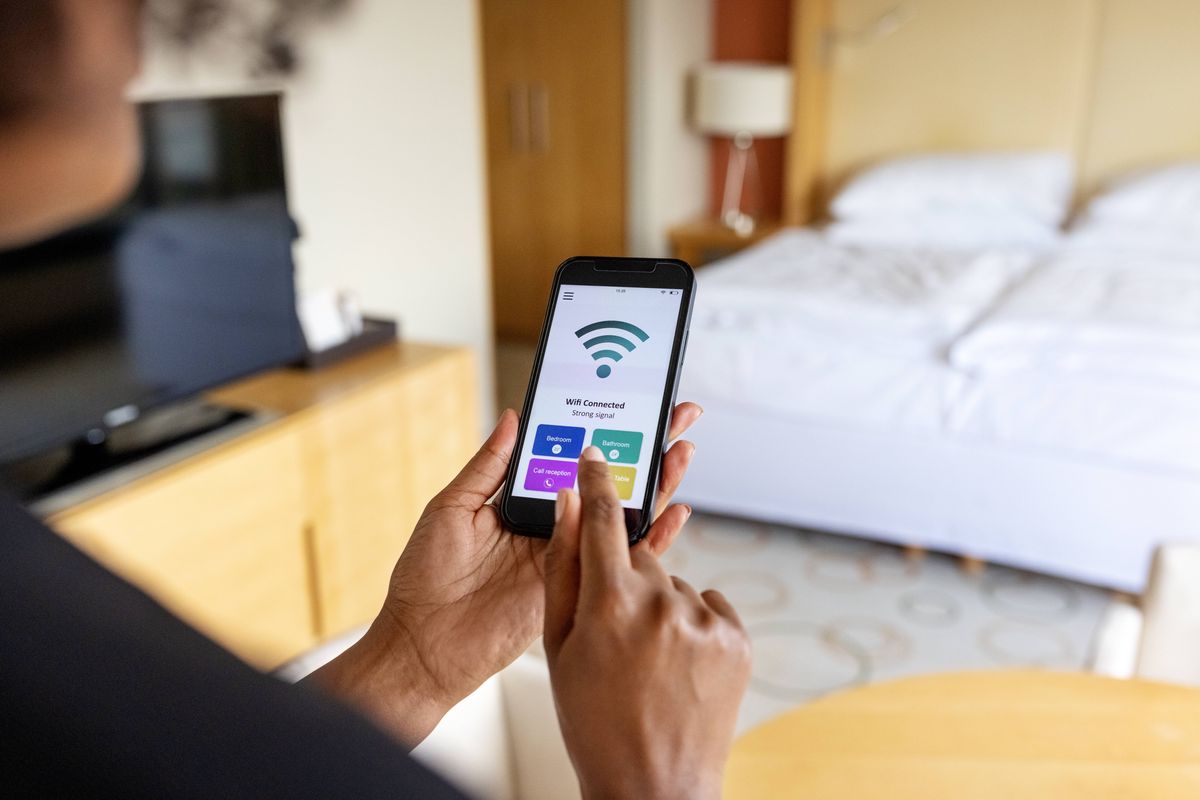
The steam of daily life relies on more than just the power grid now. According to a 2023 Pew survey, over 85% of American households have home internet access, underpinning every part of their routine. From settling school assignments remotely on a ChromeBook to a family streaming 4K movies on multiple devices, connectivity shapes activity. Around 30% of users say interruptions in wifi disrupt work or online classes, showing that home wireless internet is not extra—it's foundational.
Imagine the kitchen without water or the home without light for a day. The modern version? No wifi.
Slow wifi in apartments, dead zones in houses, and fluctuating speeds turn a trivial hurdle into a source of real daily friction.
Common Network Frustrations
People often assume any internet will do. But basic broadband packages at 25 Mbps no longer cut it for typical homes juggling multiple users. This misconception leads to everyone huddling near the router, streaming stalls, dropped video calls, and productivity losses. When you have four people, each on video or connected devices, connections deteriorate fast. One in four workers reported wasted hours in 2023 waiting on unstable connections or rebooting routers.
Network dead spots in parts of the home remain invisible nuisances until needed urgently. Also, some ISPs throttle speeds during peak hours, which frustrates households relying on consistent access for telehealth, online gaming, or content creation.
These issues drag on, eroding trust. People still treat wifi as secondary, not the backbone utility it is becoming.
Steps To Get Better Wifi
Choose The Right Internet Plan
A basic plan isn’t enough. Opt for packages with upload speeds mirroring downloads, especially with remote work and gaming. Gigabit plans from providers like Xfinity or Google Fiber can support 10+ devices simultaneously. Download 2–3 speed test apps—Speedtest by Ookla, DSLReports, and Google's speed tool—to check true performance and spot slow periods.
Upgrade Your Router
Older routers bottleneck speed. Invest in Wi-Fi 6 or 6E routers, which manage high device density and improve range. Models like Netgear Nighthawk RAXE500 or Asus RT-AX88U suit heavy use. Update firmware regularly; I found the Asus firmware on version 3.0.0.4.386.53059 fixes some bugs, which, frankly, most people skip.
Use Wired Connections Where Possible
Ethernet cables deliver more stable, predictable speeds for desktops and Smart TVs, reducing reliance on wifi bands that weaken over distance. At my house, running a CAT6 cable slashed buffering delays during 4K Netflix playback from 15 seconds to near zero.
Mesh Systems For Larger Homes
Mesh wifi breaks dead zones by spreading signals via multiple nodes. Systems like Eero Pro 6 or Google Nest Wifi well cover homes over 3,500 sq ft with minimal setup. Performance stays consistent even in basements or garages, where single routers fail.
Prioritize Network Traffic
Setting Quality of Service (QoS) rules on your router lets work laptops or video calls get priority over downloads or gaming. This straightforward fix makes home meetings less glitchy, vital for those juggling hybrid work schedules.
Regular Speed Tests And Monitoring
Run tests weekly. Sudden drops can indicate ISP issues or interference. Tools like Fing or GlassWire reveal device activity that may hog bandwidth unexpectedly.
Secure Your Network
Password-protect wifi with WPA3 security. Public or unsecured networks expose personal data risks. Older encryption methods (WEP, WPA) no longer suffice for safe home use.
ISP Communication Helps
Contact providers immediately if speeds drop below plan benchmarks or outages occur repeatedly. Persistently reporting faults got my neighbor upgraded to fiber, tripling their speed.
Evaluate Your Usage Patterns
Track the times when bandwidth peaks. Adjust device activity outside peak hours to balance network load and reduce slowdown.
Real-World Network Fixes
In 2023, a mid-sized marketing agency in Denver faced lags during client calls, mainly with 15 employees simultaneously connected. They upgraded to a fiber plan offering symmetrical 500 Mbps and installed a mesh system covering 6,000 sq ft. Result? Call dropouts fell by 90%, and project turnaround sped up by 20% due to smoother collaboration.
A family of five in Boston replaced their decade-old ISP with a 1 Gbps Google Fiber plan plus a Wi-Fi 6 router after endless interruptions with remote schooling. Buffering times went from minutes to zero, and they doubled their wireless device count without connectivity dips.
Home Wifi Checkpoints
| Check | What To Do | Result | Tools/Brands |
|---|---|---|---|
| Speed | Test peak and off-hour speeds regularly | Identify bottlenecks, confirm ISP promises | Speedtest, DSLReports |
| Router | Upgrade to Wi-Fi 6 devices | Better range and device handling | Netgear, Asus models |
| Coverage | Install mesh wifi for large homes | Eliminate dead spots | Eero, Google Nest |
| Security | Use WPA3 and strong passwords | Protect devices and data | Router settings |
| Connection | Use Ethernet cables when stationary | Stable high-speed links | CAT6 cables |
How People Trip Up
Buying the cheapest ISP package to save a few dollars often backfires, especially as multi-device use grows. Skimp on router quality, and all speed upgrades go unused. Neglecting to change default passwords invites intruders, sometimes silently stealing bandwidth.
Ignoring latency issues during video calls because ""the internet is fine"" leads to ongoing frustration. Many users keep devices on the same congested 2.4 GHz band, unaware 5 GHz setups or mesh nodes reduce interference drastically.
Buying mesh wifi but placing nodes too close together or too far apart is another common fault. Careful spacing matches practical signal spread better.
FAQ
Can normal broadband suffice?
Basic broadband (25 Mbps) provides internet but struggles with multiple users. For homes exceeding three active devices, plan speeds over 100 Mbps deliver smoother performance.
Are mesh routers worth the cost?
Mesh routers drastically improve coverage in larger or multi-level homes. They reduce dead spots more effectively than range extenders and offer more consistent throughput.
How often should routers be updated?
Routers last 3–5 years before hardware ages out. Regular firmware updates are necessary, typically monthly or quarterly, to fix security flaws and improve function.
Does wired always beat wireless?
Ethernet connections provide more stable speeds but lack wireless convenience. For bandwidth-heavy tasks like 4K streaming or gaming, wire is preferred if feasible.
What speed suits work from home?
Upload speed matters as much as download. A minimum of 50 Mbps upload is recommended for HD video calls if multiple people work remotely simultaneously.
Author's Insight
After helping dozens of clients improve home wifi since 2017, I see many mistake old expectations for modern needs. One small tip: detail connections and devices per room before upgrades—guessing leads to waste. Small investments in equipment often save hours lost to frustration. And talking to ISPs firmly but politely moves needle more than assumed.
What to Remember
Reliable home wifi stands as a basic utility today. Accepting it as such helps prioritize budget, equipment, and setup choices effectively. Test speeds regularly, select up-to-date hardware, consider wired alternatives, and secure your network. Treat wifi less like an optional service and more like the plumbing that flows through daily life—suddenly, everything works better.