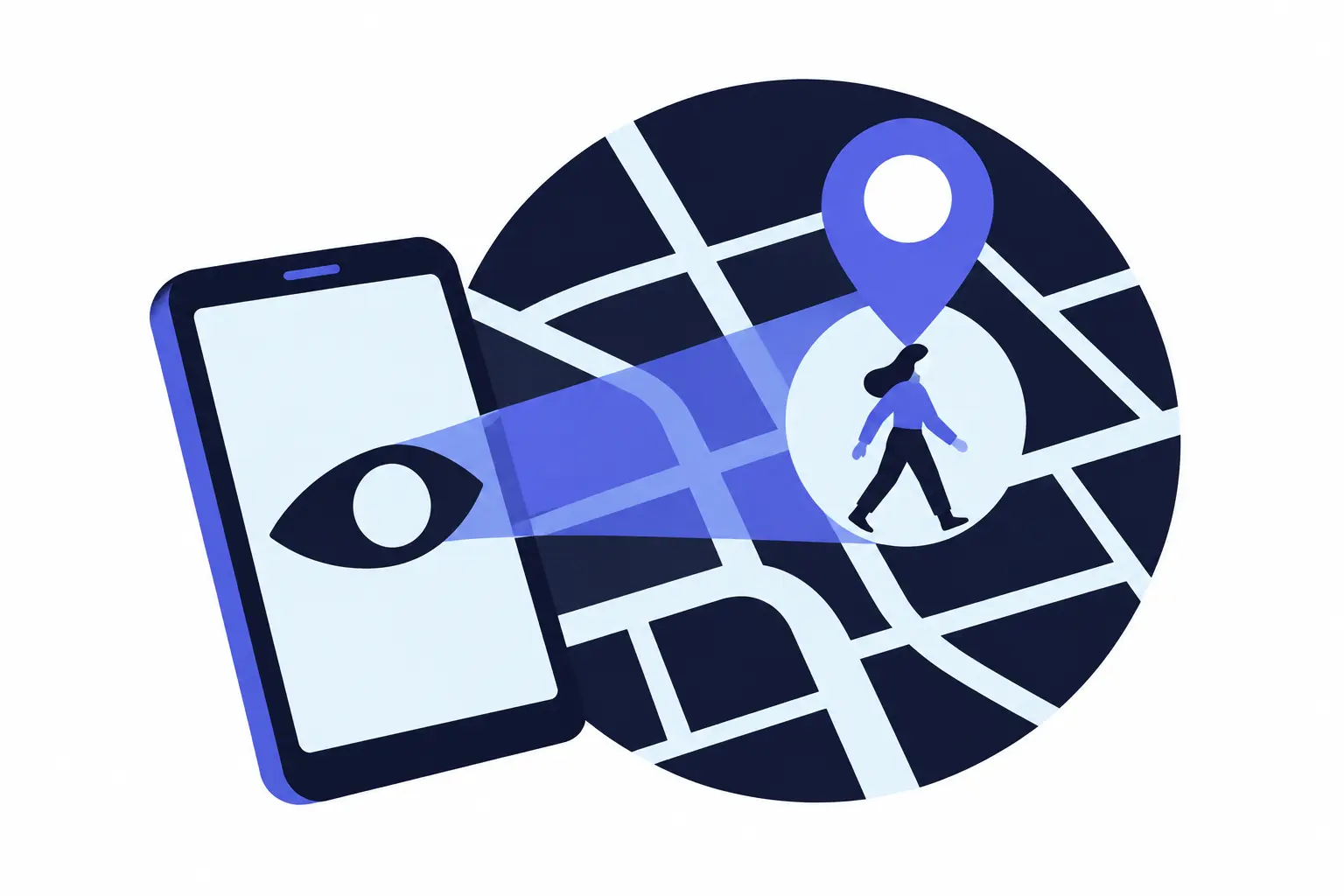
On August 4, 2026, the Electronic Frontier Foundation (EFF) reported that four advertising code libraries used in Android apps collect and share a user's location by default whenever the app itself has location permission. For you, that means a location "yes" given to a simple utility can also feed ad systems, so location is the first permission to recheck, followed by a few others that expose your contacts, home network or screen. Android 17 (released June 16, 2026) added new controls for some of these, while Apple's iOS 27 release notes (iOS 27 arrived September 14, 2026) list no new app-permission controls.
Key takeaways
- Code an app bundles in shares the app's permissions. The EFF found "there are no SDK-specific location permissions" on Android, so any location access you give an app is also available to its ad code.
- Approximate location on Android covers an area of about 3 square kilometers (1.2 square miles). The EFF says precise location is accurate to within about 160 feet, sometimes to 10 feet.
- On Android, accessibility access, notification access and "install unknown apps" can do more than ordinary permissions. A banking trojan described by Group-IB on September 23, 2026, asks for accessibility as soon as it is installed.
- Narrower choices exist: selected contacts (iOS 18+), selected photos (iOS 14+, Android 14+) and a one-session location button in some Android 17 apps.
- Since January 2024 the FTC has announced orders against five companies that collected or sold location data. Two of them, X-Mode and InMarket, gathered it partly through their code inside other companies' apps.
What it means for you
- iPhone users: Apple's iOS 27 release notes list no new app-permission controls. Check location, Tracking, Contacts and Local Network, then use Safety Check and App Privacy Report.
- Android users: Location comes first, since the EFF studied Android apps, then special access settings.
- Parents: iPhone's Privacy Restrictions, set through Family Sharing, can stop a child from changing permissions. Family Link on Android can make some permissions grantable by parents only, though that doesn't undo past grants.
- People worried about stalking or abuse: Changing settings can alert the person monitoring you. Read the safety note in the special access section first.
- Older phones: The tools section lists minimum OS versions.
Location is the first to recheck
A location permission sets when an app gets your location and how exactly. On iPhone, "While Using the App" covers the app while it is on screen, or while it uses location in the background with a blue pill in the status bar. "Always" also allows background access. Turning Precise Location off shares only an approximate location, which Apple says "may be sufficient for an app that doesn't need your exact location" (Apple iPhone User Guide; Apple: privacy and Location Services).
Android offers Allow all the time, Allow only while using the app, Ask every time or allow when you share, and Don't allow, plus a Use precise location switch. Google puts approximate location within about 3 square kilometers (Google: Manage location permissions for apps).
Why the EFF findings matter
The EFF named four software development kits (SDKs) that share location by default: InMobi, BidMachine, Verve's HyBid and Huawei's Petal Ads. An SDK is outside code that a developer adds to an app. The EFF's examples were QR Scanner (more than 50 million downloads) and GPS Speedometer (more than 10 million) (EFF investigation).
Illustrative example, using Google's area for approximate location and the EFF's figure for precise:
Approximate: 3 km² ≈ 1.16 sq mi
  equal-area circle radius = √(3 / π) ≈ 0.98 km ≈ 3,200 ft
Precise: radius 160 ft → π × 160² ≈ 80,400 sq ft ≈ 1.8 acres
Area ratio: 3 km² ÷ 0.0075 km² ≈ 400
Approximate location means a zone about 400 times larger: a neighborhood, not a building. That is enough for weather, though in a sparsely built area a 3 km² zone may contain only one clinic. Apple's support pages cited here give no size for its approximate location, so these figures apply to Android.
What regulators found
| Announced | Company | Data source, per the FTC | Outcome |
|---|---|---|---|
| Jan. 9, 2024 | X-Mode / Outlogic | Own apps, its SDK in other apps, brokers | Sensitive-location sales banned; final April 2024 |
| Jan. 18, 2024 | InMarket | Own apps, its SDK in third-party apps | Selling or licensing any precise location banned; final May 1, 2024 |
| Dec. 3, 2024 | Gravy Analytics / Venntel | Other data suppliers | Sensitive-location sales banned, with limited exceptions; final Jan. 14, 2025 |
| Dec. 3, 2024 | Mobilewalla | Ad-auction bid requests, kept even without a winning bid, and data aggregators | Sensitive-location sales banned; final Jan. 14, 2025 |
| May 4, 2026 | Kochava | Release gives scale, not source: hundreds of millions of devices | Sensitive-location sales banned without express consent; proposed May 4, court entered the order June 25, 2026 |
These orders act on the companies only after data has left your phone.
Tracking is a separate switch on iPhone
App Tracking Transparency makes apps ask before linking your data with other companies' data for ads or sharing it with data brokers. If you choose Ask App Not to Track, the app can't get the advertising identifier, and Apple's rules bar it from tracking you by other means, such as your email address (Apple: If an app asks to track your activity). This is a separate setting from Location Services, so turning one off doesn't change the other.
Contacts, photos, mic and camera
Contacts. Your address book holds data about people who never agreed to share it. Since iOS 18, Limited Access lets an app see only the contacts you choose (Apple: Control access to your contacts; Apple WWDC24). Android 17 adds a contact picker that gives temporary access to chosen contacts and fields, such as a phone number, in apps that adopt it (Google, May 12, 2026).
Photos. iPhone has offered access to selected photos since iOS 14 (Apple WWDC20). Android 14 added Selected Photos Access for apps built for it, and Android's photo picker hands an app only the items you choose, with no storage permission needed (Android Developers).
Microphone and camera. On iPhone, an orange dot means the microphone is in use, and a green dot means the camera is in use, alone or with the microphone (Apple: orange and green indicators). An unexpected dot is a reason to check that app. Android also has phone-wide Camera access and Microphone access switches under Privacy controls (Android Help: Change app permissions).
Bluetooth and local network
Both can reveal where you are. Apple's Location Services uses Bluetooth among its signals, and since iOS 13 apps must ask before using Bluetooth, except to play audio (Apple). Google notes apps can "derive physical location" from Bluetooth scans (Android Developers: Bluetooth permissions).
Local network access lets an app find printers, TVs and smart-home devices on your Wi-Fi. Google warns that this can mean "forming a fingerprint of the user and being a proxy for location" (Android Developers: Local network permission). A fingerprint here is an identifier built from the devices around you.
Android 17 requires apps built for it to ask for this permission or to use a system device picker. Because it sits in the Nearby devices permission group, an app you already allowed to find nearby devices won't ask again, so check that list rather than waiting for a prompt (Android 17 behavior changes). On iPhone, Local Network has its own list under Privacy & Security (Apple: hardware features).
Android special access to audit
These are switched on in Settings, not through a pop-up, and Android's auto-reset documentation doesn't cover them.
- Accessibility. With this access, Google says, an app "can read content on your screen and interact with apps on your behalf" (Android Help: restricted settings). Group-IB found that the RemControl trojan, spread through fake Google Play pages aimed at users in Italy, "immediately requests Accessibility Service permissions," then shows fake banking login screens and logs keystrokes (Group-IB). Google Play reserves the "accessibility tool" label for apps such as screen readers, not antivirus apps or cleaners (Google Play policy).
- Restricted settings. Since Android 13, some settings stay blocked for certain newly installed apps until you choose Allow restricted settings. Google advises against that "unless you trust the app developer." ThreatFabric documented malware droppers built to get around the block (ThreatFabric).
- Notification access. The setting is called Notification read, reply & control (Google), and notifications often show sign-in codes.
- Install unknown apps. This lets a browser or messaging app install other apps; it can be turned off per app (Pixel Phone Help).
- SMS. Google Play generally allows SMS permissions only for your default SMS, phone or assistant app, with a few listed exceptions (Google Play SMS policy). If any other app asks, treat it as a warning sign.
Google says Android now hides one-time codes in texts from most apps for three hours, and that if you turn on Advanced Protection, Android 17 removes accessibility access from every app that isn't labeled an accessibility tool (Google). For ordinary texts, Google's developer documentation applies the three-hour delay to apps built for Android 17, with exceptions such as the default SMS app (Android 17 behavior changes).
Safety note. The FTC warns that stalkerware can track location and read messages, and that removing it "could tip off your abuser." It suggests contacting the National Domestic Violence Hotline (1-800-799-7233, or text START to 88788) from a device the abuser can't access before you make changes (FTC: Stalkerware). Apple gives similar advice (Apple Personal Safety User Guide). This article is general information, not a safety plan.
Built-in tools that show access
Safety Check, on iPhones with iOS 16 or later, reviews which people and apps can reach your information, can reset apps' system privacy permissions, and has a Quick Exit button (Apple: Safety Check). Apple also suggests reviewing Privacy & Security if someone else set up your device or knows your passcode (Apple: App privacy features).
App Privacy Report shows how often each app used your location, camera, microphone, contacts and photos in the past 7 days, plus domains contacted. It records nothing until you turn it on (Apple: About App Privacy Report).
Android's Privacy dashboard shows which apps used which permissions, covering 24 hours on Android 12 and 7 days on Android 13 and later (Android Help: privacy dashboard). Android also resets the pop-up ("runtime") permissions of apps you haven't opened for what Google calls "a few months." This applies to apps built for Android 11 or later (Android Developers: app hibernation). A monthly notice flags apps with location access that change their stated data sharing (Android Help).
| Control | Minimum version |
|---|---|
| iPhone Bluetooth permission | iOS 13 |
| iPhone mic and camera indicators; selected photos | iOS 14 |
| App Tracking Transparency | iOS 14.5 |
| App Privacy Report | iOS 15.2 |
| Safety Check | iOS 16 |
| Limited contacts access | iOS 18 |
| Permission auto-reset | Android 11; Android 6.0–10 through Google Play services |
| Privacy dashboard | Android 12 (24 hours), 13 (7 days) |
| Restricted settings | Android 13 |
| Selected Photos Access | Android 14 |
| Location button, contact picker, local network permission | Android 17, in apps that adopt them |
Frequently asked questions
Does a phone warn when an app uses location in the background?
iPhones do. Apple says the phone will remind you from time to time when an app uses your location in the background, show those locations on a map, and ask whether to keep allowing it. On Android 17, a location indicator appears at the top of the screen, and tapping it opens a "Recent app use" list.
Can an iPhone app stop working if tracking is refused?
Apple says you can use the app's full capabilities whether or not you allow tracking. If you turn off "Allow Apps to Request to Track," every request is treated as Ask App Not to Track. That setting can't be turned on for child accounts or users under 18.
How can all iPhone location and privacy permissions be reset at once?
Go to Settings > General > Transfer or Reset iPhone > Reset, then tap Reset Location & Privacy. Apple says apps then stop using your location until you grant permission again.
Are Google Play's data safety labels a guarantee?
No. Google says developers are responsible for the accuracy of their stated data sharing and can change it at any time. A permission prompt with no location-sharing notice doesn't prove an app doesn't share, because the store or phone maker may not support the labels.
What happens when a hibernated Android app is opened again?
Android doesn't restore the permissions it removed. You grant them again, and the app must reschedule background jobs and notifications. To keep an app out of hibernation, turn off "Pause app activity if unused" in its App info page.
A permission review, step by step
- iPhone location: Settings > Privacy & Security > Location Services. Change "Always" for any app that doesn't need your location when it's closed, and turn off Precise Location where a neighborhood is enough.
- iPhone, other lists: In Privacy & Security, check Tracking, Contacts (choose Limited Access where offered), Photos, Bluetooth, Local Network, Microphone and Camera.
- iPhone, follow-up: Turn on App Privacy Report and check it a week later, or run Safety Check.
- Android location: Settings > Location > App location permissions. Set utility apps to Ask every time or allow when you share, or to Don't allow, and turn off Use precise location where you can.
- Android, by type: Settings > Security & privacy > Privacy > Permission manager, or Privacy dashboard to see recent use.
- Android special access: Settings > Apps > Special app access. Check Install unknown apps and Notification read, reply & control, then see which apps are listed under Accessibility. Menu names vary by phone maker.
- Parents: On iPhone, go to Settings > Family > your child > Content & Privacy Restrictions > Privacy Restrictions (Apple: parental controls). In Family Link, go to Controls > Signed-in devices > App permissions, choose Only parents (Google For Families Help), then review what the child already granted.
Sources
- EFF: Mobile ad software encourages location data sharing (Aug. 4, 2026)
- EFF: Developers, beware of ad libraries that betray your users' location privacy
- Apple iPhone User Guide: Control the location information you share
- Apple: About privacy and Location Services
- Google: Manage location permissions for apps
- Android Developers Blog: Android 17 is here (June 16, 2026)
- Apple: About iOS 27 Updates
- Apple Newsroom: Major updates for Apple's software platforms are now available (Sept. 14, 2026)
- FTC: X-Mode Social and Outlogic order (Jan. 9, 2024)
- FTC: X-Mode and Outlogic order finalized (April 12, 2024)
- FTC: InMarket order (Jan. 18, 2024)
- FTC: InMarket order finalized (May 1, 2024)
- FTC: Gravy Analytics and Venntel (Dec. 3, 2024)
- FTC: Gravy Analytics and Venntel order finalized (Jan. 14, 2025)
- FTC: Mobilewalla (Dec. 3, 2024)
- FTC: Mobilewalla order finalized (Jan. 14, 2025)
- FTC: Kochava proposed order (May 4, 2026)
- CourtListener: FTC v. Kochava, Inc., 2:22-cv-00377 (D. Idaho), order entered June 25, 2026
- Apple: If an app asks to track your activity
- Apple iPhone User Guide: Control access to your contacts
- Apple Developer: Meet the Contact Access Button (WWDC24)
- Google: What's new in Android security and privacy in 2026 (May 12, 2026)
- Apple Developer: Handle the Limited Photos Library in your app (WWDC20)
- Android Developers: Grant partial access to photos and videos
- Apple: About the orange and green indicators
- Android Help: Change app permissions on your Android phone
- Android Developers: Bluetooth permissions
- Android Developers: Local network permission
- Android Developers: Behavior changes for apps targeting Android 17
- Apple iPhone User Guide: Control access to hardware features
- Android Help: Learn about restricted settings
- Group-IB: RemControl Android banking trojan (Sept. 23, 2026)
- Google Play: Use of the AccessibilityService API
- ThreatFabric: Droppers bypassing Android 13 restrictions
- Google: Gemini device assistance and notification access
- Pixel Phone Help: Download apps to your Pixel phone
- Google Play: Use of SMS or Call Log permission groups
- FTC Consumer Advice: Stalkerware, what to know
- Apple Personal Safety User Guide: Safety Check
- Apple Personal Safety User Guide: App privacy features
- Apple: About App Privacy Report
- Android Help: Manage permissions from the privacy dashboard
- Android Developers: App hibernation
- Android Help: Find out if your Android apps share your location data
- Apple: Use parental controls on your child's iPhone or iPad
- Google For Families Help: Manage your child's app permissions